GOVERNMENT & ENTERPRISE MODERNIZATIONVETERAN-OWNED
Schools & nonprofits / Modernization

Keep the mission moving.
Simplify the work behind it.

Schools, nonprofits, and community institutions need reliable operations that support people and programs without consuming staff capacity.

Start with the work your team already does

Program teams, school offices, and nonprofit administrators often manage requests, approvals, records, and reporting across several disconnected tools. We begin by mapping how those steps move from one person or system to another.

The aim is to identify a practical improvement that respects your mission, staff time, available resources, and responsibilities.

Where modernization can help

  • Program registration, intake, and routine follow-up.
  • Staff and volunteer onboarding, assignments, and reminders.
  • Document routing, approvals, and internal requests.
  • Reporting workflows and repeated data entry.
  • Connections between existing forms, calendars, and approved software.

Careful implementation for public-serving organizations

A school or nonprofit may handle sensitive information and operate under specific policies. We define access, data handling, human oversight, vendor responsibilities, and support requirements before implementation.

We can begin with one well-defined workflow, test the result with your team, document the process, and expand only when the improvement is proven useful.

Featured system concept / School operations

A more orderly school pickup line.

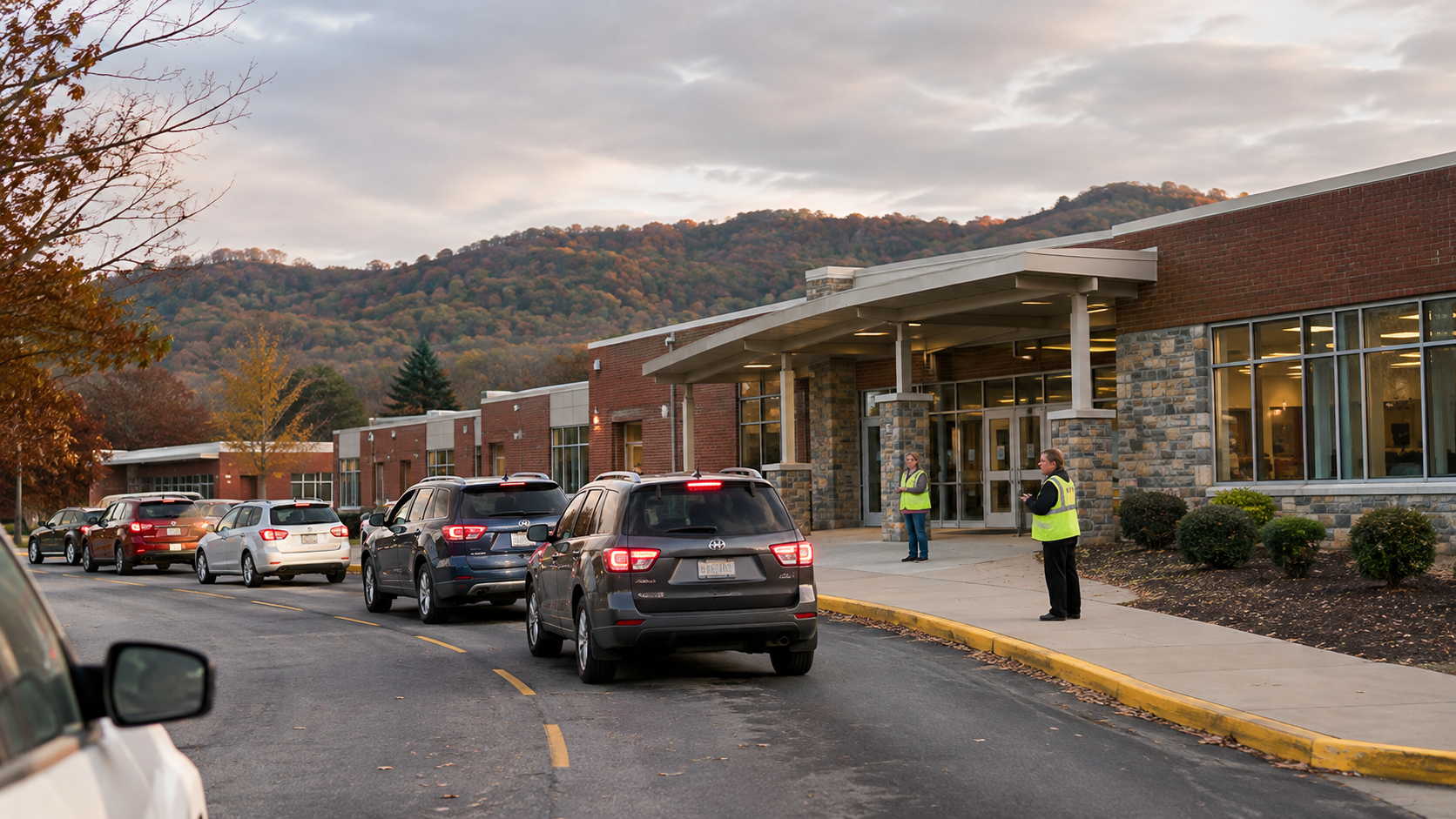
See how a school could coordinate arriving vehicles, communicate with families, and give staff a shared view of the pickup queue. This is an AMO concept prototype, not a deployed school system.

CONCEPT PROTOTYPE
Photorealistic concept scene of vehicles in an orderly school pickup lane with staff supervising
Illustrative school pickup environment. Generated concept image; not an actual client site.
STAFF DISPATCH VIEW

Afternoon dismissal

DEMO QUEUE
08Vehicles queued
03Ready for pickup
02Loading now
VehiclePickup codeStatus
Silver SUVLane A#A-104Ready
Blue sedanLane B#B-212Loading
White crossoverLane A#A-118In queue

Example vehicles and codes only. No real student information.

PARENT / GUARDIAN VIEW

Pickup status

PHONE PREVIEW
SCHOOL PICKUP

You're checked in.

We have your arrival. Please remain in your vehicle and follow staff directions.

YOUR PICKUP CODEA-104Lane A · Waiting for staff
Status updates appear here.

Illustrative parent screen. No real check-in or notifications are sent.

01

Arrival registration

A family checks in using a school-approved method, without staff manually searching through a paper list.

02

Shared dispatch queue

Authorized staff see vehicle arrival order and can coordinate the next pickup safely.

03

Clear status updates

Families and staff receive the information they need, with human confirmation before release.

Any real implementation would require school approval, secure identity checks, role-based access, student privacy review, and a documented release procedure. This concept does not replace staff verification.

A practical starting point

Start with the process that needs attention.

Tell us where work slows down. We will help define an appropriate first step.

Prepare your project brief